
Friend line
Friend LineSocial
4.469.00 Reviews
- Version
- 65
- Installs
- 100.00K
- Age Rating
- Teen
Screenshots
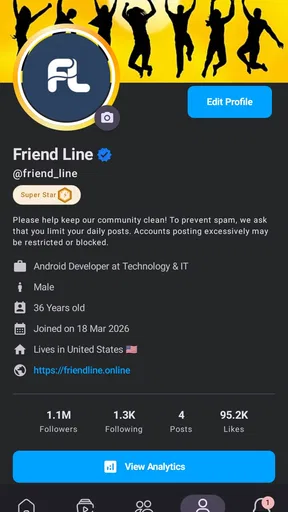
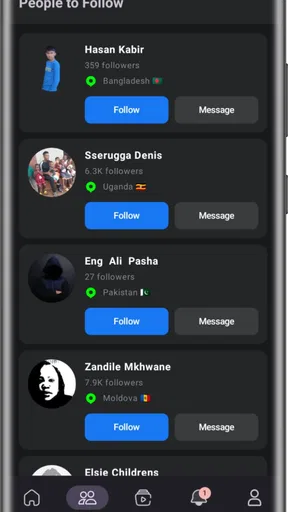
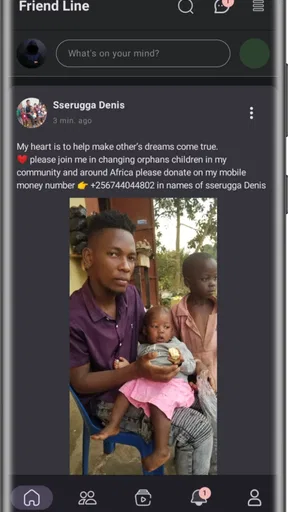
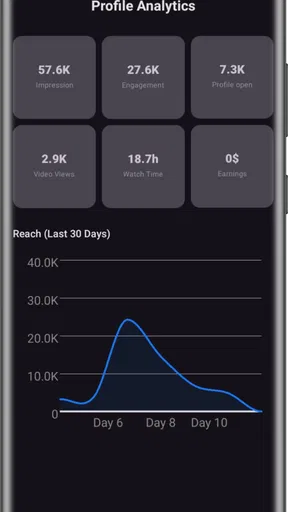
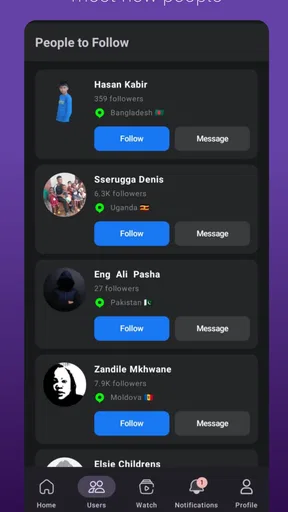
Our Review of Friend line
 Analysis by Appyee
I spent time with Friend line as a lightweight social app for keeping conversations, photos, videos, and messages in one place. Its basic idea is easy to understand: connect with people you know, share something quickly, and keep the exchange moving without turning the experience into a complicated community platform. That simplicity is its strongest appeal, although it also means the app is best judged as a focused way to stay in touch rather than as a complete replacement for every social network.
Friend Line is the developer behind the app, which belongs to the social category and is free to use. It has a 4.4 average from around 36 thousand ratings and has passed 100 thousand installs, so it has attracted a meaningful audience without presenting itself as a massive mainstream network. The app is rated for Teen users, runs on Android 8.0 and later, and the current version is 65. It first appeared on June 16, 2021.
How Friend line fits into everyday communication
My first impression was that Friend line makes the most sense when I want a direct, familiar space for people I already know. The emphasis is on sharing and chatting rather than on discovering endless public content. That distinction matters. If you are tired of opening a social app and immediately being pulled into trending posts, advertisements, or recommendations from strangers, a smaller friend-centered tool can feel calmer.
The app’s core combination of messages, photos, and videos covers the situations most people encounter during an ordinary day. I can imagine using it to send a quick update to a group of friends, share a picture from a meal, or continue a conversation that would otherwise be scattered across several services. The value is not a single spectacular feature; it is the convenience of having familiar forms of communication gathered together.
A realistic example is a weekend plan. One person sends a message about the meeting point, another adds a photo showing what to look for, and someone else shares a short video or follow-up update. In a conventional social feed, those details can disappear among unrelated posts. In a friend-focused conversation, they remain connected to the people and context that matter.
That workflow also reveals an important trade-off. A dedicated social app only becomes useful when the people I want to reach are willing to use it too. If my friends already rely on another messenger, moving everyone over may be more effort than the app saves. Friend line is therefore easier to appreciate as a shared choice among a group than as a solo download.
Free access changes the decision
There is no purchase price to weigh here: Friend line is free. That makes trying it relatively straightforward, especially for someone who wants to test a different way of sharing without committing money first. The practical question is not whether it is worth buying, but whether it earns a regular place among the communication tools already on a phone.
Free access is valuable when it lowers the barrier for a whole group. A few friends can experiment with it at the same time, decide whether the conversation flow suits them, and stop using it if it does not. I would approach it in exactly that way rather than assuming that a free social app will automatically replace a service everyone already knows.
The absence of a purchase cost does not remove every possible cost. Time, attention, storage, notifications, and the effort of convincing contacts to join still matter. I would also avoid treating the free label as proof that the app is better value than a paid or established alternative. In this case, the clear fact is simply that access does not require a listed payment; the real value depends on whether my social circle uses the app consistently.
What I found useful in the sharing flow
The combination of media and messaging gives Friend line a practical advantage over a very basic chat tool. A conversation can carry more than short text, which is useful when an image explains something faster than a paragraph. Photos can provide context, while videos can show an event, a demonstration, or a moment that would lose meaning in a still image.
One useful habit would be to treat conversations as small, ongoing spaces rather than sending isolated updates. For example, I could keep a travel discussion focused on the trip, place photos and changes in the same exchange, and return to it later instead of searching through a general feed. This is a simple workflow, but it reduces the mental switching that happens when messages and media are spread across different apps.
Another practical approach is to use the app for groups with a clear shared purpose: close friends organizing an outing, relatives exchanging personal updates, or classmates sharing visual material. The more specific the group, the easier it is to tell whether Friend line is helping. A broad audience with mixed interests may create the same noise that users are trying to escape.
I would not download it expecting a full public publishing ecosystem. Its appeal is strongest in personal communication, where the people involved already have a reason to interact. Users looking for professional networking, large-scale discovery, detailed creator tools, or a highly developed public timeline may feel that the experience is narrower than expected.
How it compares with familiar alternatives
Compared with a standard messaging app, Friend line appears attractive when I want conversations to include social sharing rather than only direct replies. A conventional messenger may be the better choice when everyone I know is already there, when reliability across a large contact list matters most, or when I need specialized communication tools that come with a mature platform.
Compared with a large social network, Friend line is easier to position as a more personal option. Large networks are often stronger for public posts, news discovery, communities, and finding people outside an existing circle. Friend line makes more sense when the priority is staying connected with known friends and exchanging personal media without making discovery the center of the experience.
Compared with a photo-first platform, it offers a different balance. A visual network may be better for browsing polished public content or building an audience. Friend line is more suitable for the private, ordinary moments that make sense to a small group: a quick snapshot, a casual video, or a message attached to an ongoing conversation.
The important comparison is not which app has the longest feature list. It is which one matches the social habit I already have. If my contacts are active elsewhere, Friend line may remain an occasional experiment. If a group wants a simpler shared space for messages and media, its focused approach becomes more convincing.
Where the experience can become frustrating
The biggest limitation is the network effect. A social tool cannot create much value in isolation. I may like the interface and the idea of combining messages with media, but that benefit fades if the people I care about do not answer there. Before making it my main communication app, I would identify a small group willing to use it regularly.
There is also a risk of duplication. Many phones already contain a messenger, a social network, and a photo-sharing service. Adding another app can make notifications harder to manage and conversations more difficult to remember. I would turn off unnecessary alerts and agree with friends on what Friend line is for, rather than allowing the same discussion to continue in three places.
Media sharing can create its own friction. Photos and videos are more expressive than plain text, but they can also make conversations heavier and less organized. I would keep important details in clear messages and use media to support them, not replace every piece of information. That small discipline makes a mixed conversation easier to revisit.
The Teen content rating is another reason families should think about how younger users will use the app. I would not treat the rating as a substitute for conversation or supervision. A parent deciding whether it is suitable should consider the child’s contacts, sharing habits, and comfort with social communication, not only the age label.
Users should also remember that a current version number does not tell me whether the app will fit every phone or personal workflow. Android 8.0 compatibility gives older supported devices a clear entry point, but the experience can still vary with a phone’s available space, notification settings, and the behavior of the people using the app. I would install it on the device and account I actually plan to use, then test a small conversation before moving important communication there.
Who is most likely to get real value
Friend line is a good candidate for people who want a straightforward social space centered on existing relationships. It suits a friend group that shares photos and videos often, prefers casual conversation, and is willing to agree on one place for updates. It can also appeal to someone who wants to try a free alternative without paying for access.
I see particular value for groups that communicate visually. A hiking group can exchange route photos and progress updates. Relatives can keep personal moments together in a shared conversation. Students can use a group for informal coordination and visual references. In each case, the app becomes useful because the group has a repeated reason to return, not because downloading it alone solves a communication problem.
It is less suitable for someone who wants a large public audience, sophisticated content discovery, or a professional identity. It is also a weak fit for a group that refuses to leave its existing messenger. If I need one app that every contact already understands, an established alternative will probably be more convenient even if Friend line’s approach feels appealing.
I would also skip it if I dislike maintaining several social accounts or if I want communication to remain limited to plain text. The app’s reason to exist is tied to the combination of social connection and media sharing. Without that interest, its main advantage becomes much less important.
My practical way to test it
I would begin with three or four people rather than inviting an entire contact list. We would choose one purpose, such as planning a weekend or sharing family photos, and use the app for that purpose for a few days. This quickly shows whether conversations feel easier to follow and whether people actually remember to check the app.
Next, I would compare the same workflow with the messenger the group already uses. Can everyone find the latest message? Are photos and videos easy to understand in context? Do notifications arrive often enough without becoming distracting? These questions are more useful than judging the app after a single glance at its opening screen.
I would also establish a simple rule: urgent information stays in the channel people reliably monitor, while Friend line handles the social exchange if the group prefers it. That prevents a free experiment from becoming a source of missed plans. If the app gradually becomes the place where the group naturally shares, then it has earned its space. If not, uninstalling it is a reasonable outcome because there is no purchase to recover.
My verdict on the free download
Friend line delivers its best value as a free, friend-centered way to combine messages with photos and videos. I like the idea of a social tool that can support ordinary personal exchanges without requiring users to turn every update into a public performance. Its focused nature is useful when a group adopts it together and gives conversations a clear purpose.
At the same time, I would not recommend it as an automatic replacement for a familiar messenger or a large social network. The app depends heavily on participation from the people I want to reach, and adding another communication channel can create more confusion than convenience. Its Teen rating also means families should make a thoughtful decision about how it will be used.
My recommendation is to try it with a small, active circle rather than downloading it alone and waiting for value to appear. If your friends want a shared place for casual messages, photos, and videos, the free access makes that trial easy and the app may fit naturally. If your priority is a broad public audience, professional communication, or a platform everyone already uses, I would stay with the alternative that best matches that need.
Friend line is worth trying when shared adoption matters more than a long feature list. I would keep it installed only if it makes a real group conversation simpler; otherwise, its zero purchase price is not enough by itself to justify another social app on my phone.
Verdict
Strengths of Friend line
- Simple interface makes starting conversations quick and easy.
- Useful for meeting people beyond your existing social circle.
- Profile discovery can help users find shared interests.
- Suitable for casual chats and building new connections.
- Available on mobile for convenient communication on the go.
Limitations of Friend line
- User activity may vary, so replies and matches can be inconsistent.
- Some features may require in-app purchases or premium access.
- Public profiles can raise privacy concerns for cautious users.
- Conversations depend heavily on other users’ responsiveness.
- New users may need time to build a meaningful network.
Similar Picks in This Category
View All
Meta Platforms, Inc.4.6

Instagram4.0

Likee-Live, Chat & Party Games
Likeme Pte. Ltd.4.4

Facebook Lite
Meta Platforms, Inc.4.5

TikTok - Videos, Shop & LIVE
TikTok Pte. Ltd.4.0

Moj: Free Short Drama & Reels
ShareChat4.1
Frequently Asked Questions
What is Friend line and what can I use it for?
Friend line is a social communication app designed to help users connect with other people, start conversations, and maintain friendships through a mobile device. Depending on the version and region, it may include profiles, messaging, contact discovery, notifications, and other community features. Before downloading, review the app’s current description and supported functions because available tools can change with updates.
Is Friend line free to download and use?
Friend line may be available to download at no initial cost, but some features could require in-app purchases, subscriptions, or other payments. Users should check the application store listing for its latest pricing information before installing it. It is also important to review whether optional purchases renew automatically, especially if the app offers premium communication tools or additional profile-related features.
Is Friend line safe for meeting and chatting with new people?
As with any social networking or friendship app, Friend line should be used carefully when communicating with people you do not know personally. Avoid sharing your address, financial details, passwords, private documents, or precise daily routine. Use blocking and reporting tools when available, and remember that profiles may not always represent a person accurately. Never arrange an in-person meeting without taking sensible safety precautions.
What permissions and personal information may Friend line require?
Friend line may request access to information needed for account creation, communication, notifications, or profile customization. Depending on its features, this can include an email address, phone number, photos, camera, microphone, contacts, or approximate location. Permission requests can vary by device and operating system. Read the privacy policy carefully and grant only the permissions that are necessary for the features you intend to use.
Does Friend line work on both Android and iPhone?
Compatibility depends on the version of Friend line currently published for each platform. Check the official Google Play Store or Apple App Store listing to confirm whether the app supports your Android or iOS device, as well as the minimum operating-system requirements. Keeping your phone updated can improve stability, but older devices may not support every feature or the newest application release.
